
Yuna is the team-facing AI assistant in YundaDesk. Use natural language to query support data, get help with configuration, prepare business rules and handle tasks. Customer-facing AI customer service has a different role: responding to inquiries through connected channels. Start with a read-only question, try one clearly scoped configuration task, and then take a verified business rule through the learning process.
Running support for an ecommerce website involves more than replying to customers. You also need to understand recurring handoff reasons, which knowledge participates in answers, whether a setting was saved and which follow-ups need attention. Yuna brings these internal tasks into a conversation: explain your objective, and it uses the current workspace’s information and available capabilities to return a result or move the task forward.
How is Yuna different from AI customer service?
A visitor asking about a product through your website widget is a customer-service interaction. An operator asking why conversations were handed to people this week is a task for Yuna. Yuna helps the team manage and improve reception; a message to Yuna is not itself a reply to a visitor.
| Your objective | Main place to work |
|---|---|
| Give visitors product or service answers | AI customer service in the connected channel |
| Inspect settings, analyze conversations or prepare improvements | The team-facing Yuna assistant |
| Have a teammate continue a customer’s issue | The target conversation and human reception in the inbox |
The official introduction groups Yuna’s work into asking, acting, teaching and receiving task reminders. This also makes a useful working sequence: understand the situation, choose a change and preserve a handling method after checking it. See Meet Yuna for the role and entry point.
Before you start: select the workspace, target and source material
Open Yuna from the AI area of the workspace sidebar. Confirm that you are in the workspace for this task, and identify the relevant channel, conversation or knowledge material. Reports require the corresponding data and access. Configuration work depends on available workspace capabilities and any required app or channel connections.
On supported pages, Yuna offers a Current page context item above the input. Open the relevant customer, conversation, knowledge or report page, then select its context item to attach it to your message. Opening a page does not automatically attach that object. Checking the attachment before sending helps remove ambiguity from requests such as “this customer” or “that channel.”
The prompts below are adaptable examples, not records of completed customer work. Replace dates, channels and business conditions with your actual information. Keep the first task within one workspace and one target so the result is straightforward to check and reuse.
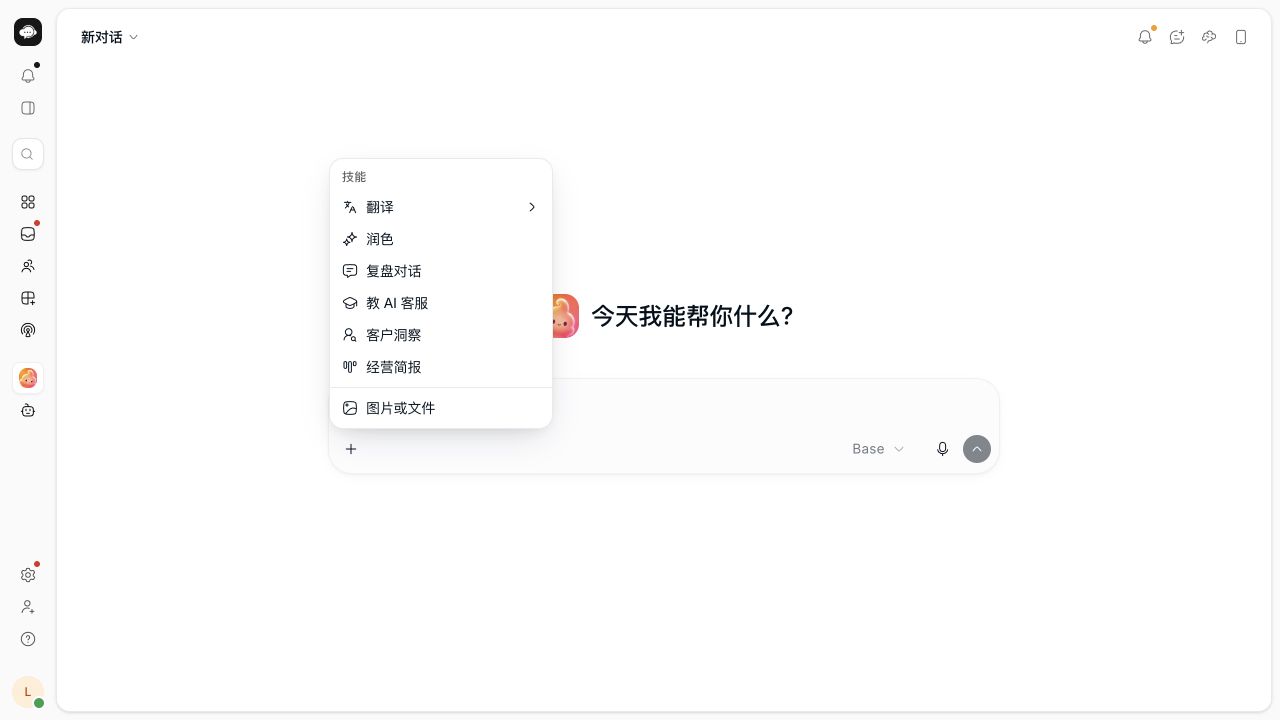
Step 1: ask a specific support-operations question
“Review our support performance” can begin a conversation, but a time range and clear focus make the result more useful. When planning next week’s work, for example, you could ask:
Query conversation volume and human handoffs for our website channel over the last seven days. State the reporting period and summarize three issues worth reviewing from the data you can read. This is a read-only request; do not change settings.
First check the period and channel used in the answer, then interpret the figures. A channel with more conversations may simply receive more traffic. Deciding which knowledge to improve also requires looking at actual questions or representative conversations. Keep retrieved facts separate from proposed actions instead of treating a summary as a complete business conclusion.
You can also ask how a feature works, such as where agents use saved team quick replies. Yuna consults published help for instructions. If you want to know what your own workspace has configured, explicitly ask it to read the current object. Help describes the product; a current-object query establishes your configuration state. See Complete common tasks with Yuna for further examples.
Step 2: give Yuna one configuration objective
A good first task has a small scope, a clear purpose and an easy way to check the result. Preparing support hours and an offline message for an agreed business schedule is one example. You provide the actual arrangements; Yuna helps turn them into supported configuration steps.
Read the website channel’s current support hours and offline message. I want to align them with our team’s agreed schedule. First list the information you need and show the before-and-after content. Apply it only after I review it, and leave other settings unchanged.
This identifies the target, objective, execution preference and settings to preserve. If Yuna asks you to select a channel or supply a time zone, resolve that choice before checking the proposed change. Verify weekdays, start and end times, and the time zone. The offline message should reflect the real schedule. Similar channel names are a reason to clarify the target before continuing.
Confirmation depends on risk and context. Messages, customer-impacting actions, permissions and broad changes go through the relevant confirmation flow. A clearly targeted, immediately reversible service-style edit on the current Agent page can be saved directly once the requirements are clear. If you want to review a version first, say “preview only; do not apply.” Not every small edit needs an extra confirmation card. A general objective does not authorize every later action. See Answer Yuna’s confirmation questions for choice-card handling.
Step 3: turn handling experience into a business rule
Yuna also helps turn an experienced teammate’s way of answering into material the team can inspect. Instead of “be more professional,” describe the situation, information to collect, source to use and point at which a person should decide.
Prepare a learning draft for this method: when a customer asks whether a product can ship to a country, confirm the product and destination, then use the shipping policy I provide. Refer destinations not covered by that policy to a person without adding commitments. Let me review the scope and test questions first; do not enable it yet.
This is a teaching example, not any merchant’s actual shipping policy. Attach approved material and check that the draft retains product, destination and exception conditions. Test the original question and several related phrasings to see whether the AI follows the rule rather than a single fixed sentence. Follow the review, test and enablement steps shown in the product, then check the answer through the actual reception entry point.
The Teach AI customer service shortcut helps prepare learning content for review. In an ordinary conversation, Yuna may first ask whether you intend to enter the learning flow. A draft, a test and an effective rule are separate stages. See Ask, act and teach with Yuna. For preparing source material, continue with the official knowledge-base guide.
Keep follow-up in tasks and working preferences in memory
A conversation may end while a learning review or delivery issue still needs attention. Yuna tasks bring these items together and link to the corresponding details. Use the underlying business record when checking a cause; the task area is a reminder entry point, not a replacement for those records.
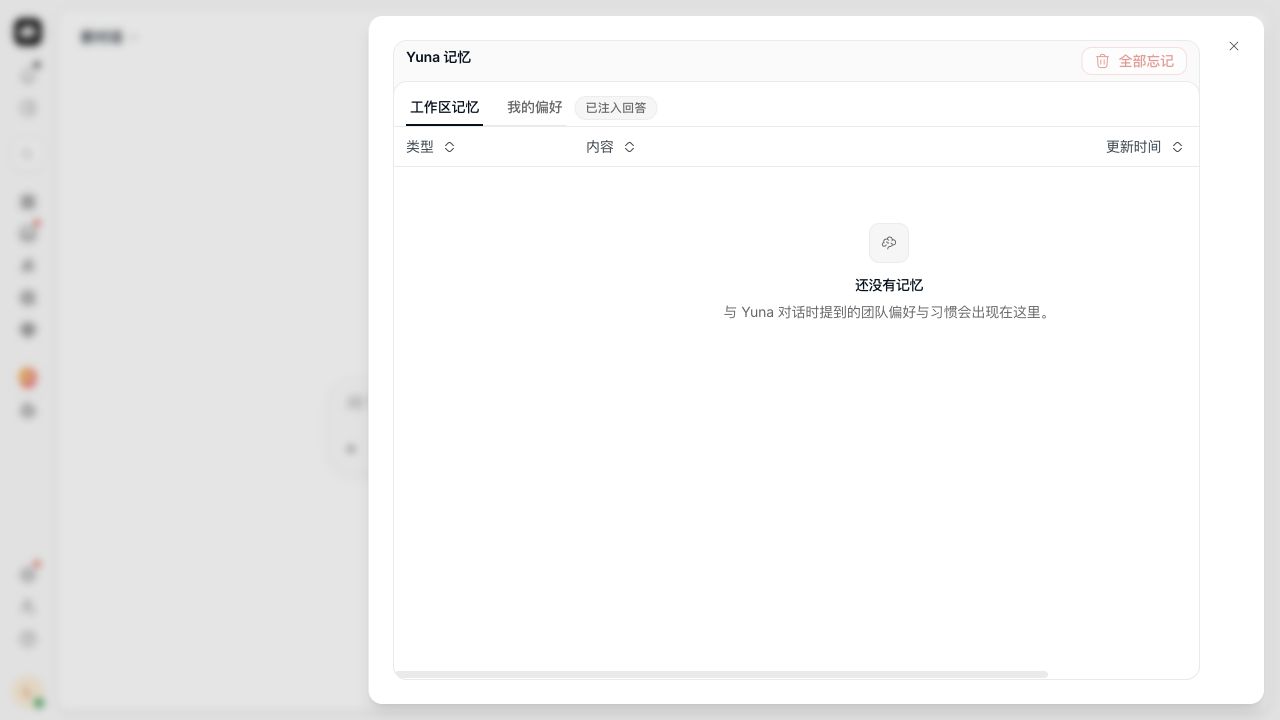
Long-term memory addresses a different repetition: explaining your preferred report structure or writing style in every conversation. “My personal preference is conclusions first, details second” can be identified as a personal preference; specify a shared workspace scope if the whole team should use it. Customer preferences belong in customer memory. Prices, refund policies and customer commitments should be managed through knowledge or improvement suggestions. See Yuna tasks and long-term memory.
Consider automation after a recurring query proves useful
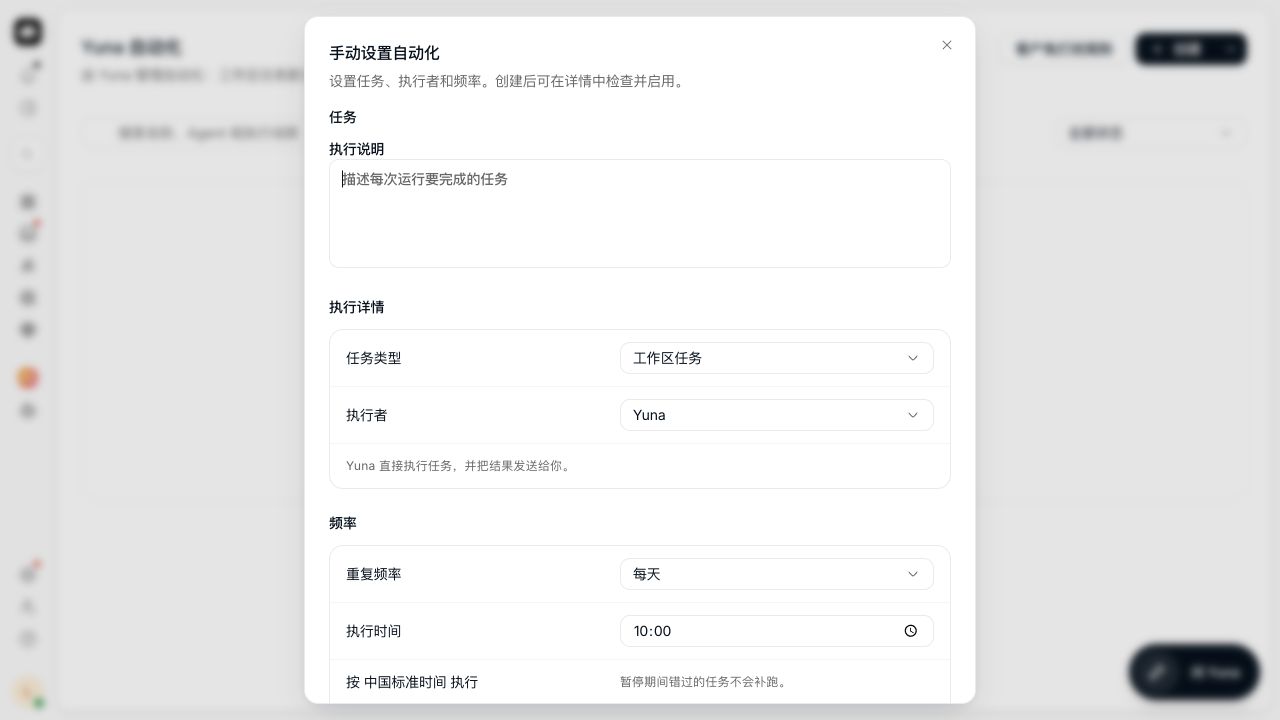
Once a query is useful in practice, such as a periodic support summary, consider Yuna automations. In the current setup interface, workspace tasks run with Yuna by default; you can also select an Agent when a specific role or knowledge is needed. Check the executor, instructions, frequency and displayed time zone, using the permissions and capabilities available on the current page. A new automation is saved as a draft before you review and enable it.
For the first run, use an on-demand task to validate the output before choosing a schedule. Inspect run history and confirm the period and metrics still match your purpose. If you use the customer-outreach type offered by the page, follow that type’s approval process: every real send still requires human approval. This has a different scope from an internal workspace query. See Create and manage Yuna automations.
Verify the result according to the task
For a query, inspect the data scope and result. For configuration, inspect the target and saved content. For learning, check the relevant draft, test and enablement state. The useful question is whether this task achieved its intended result, not simply whether the answer sounds fluent.
For an executed action, inspect Yuna’s structured receipt: target, content summary and processing status. For external messages, Accepted means processing has begun; it is not proof of customer receipt. Check delivery results and, for important messages, customer-side visibility. See Read Yuna action receipts.
Troubleshoot three things when the result is unexpected
Target clarity: if the answer concerns the wrong channel or period, check the Current page attachment, name, dates and time zone. Supply the correct target before querying again. Expanding the request first makes the cause harder to isolate.
A pending step: a draft or choice card may still need information, review or enablement. If the task is processing, inspect that existing task. Avoid repeated clicks, especially for operations that might send messages or change configuration.
Required conditions: if reading or execution is refused, use the specific message to check permissions, apps, channel connections or Agent state. Retain the request, target and error, fix the affected condition and continue. When an external-send result is uncertain, inspect the original receipt before creating another send.
Frequently asked questions
Will asking how a setting works immediately change it?
Asking for instructions and requesting execution are different intents. Start with navigation and steps, then explicitly request an action when ready. If you need a preview, include “let me review it first; do not apply.”
Can I ask Yuna in Chinese and receive a Chinese answer?
Yuna replies in the language of your current natural-language message. To translate text, use the translation shortcut and select a target language. Check numbers, dates and existing commitments afterward so a change in wording does not change business facts.
What is the most useful first task?
Choose a question you already need answered, such as which knowledge participates in replies or why conversations were handed to people over the past week. Ask Yuna to query it, check the result and choose one necessary small change. That produces a path you can reuse in everyday work.
Yuna connects team intent, workspace information and follow-up actions. AI customer service continues handling customers while the team uses Yuna to understand the situation, manage rules and receive tasks. Starting with one real query makes it easier to find a useful working method than submitting ten broad requests at once.